Introduction
With the evolution of Apple’s text system, user input is no longer just plain strings. Features like Genmoji introduce a new category of content:
Adaptive, image-based glyphs embedded inside text.
On macOS, supporting this kind of expressive input requires:
- Bridging AppKit into SwiftUI
- Handling rich text (
NSAttributedString)
- Preserving content through serialization
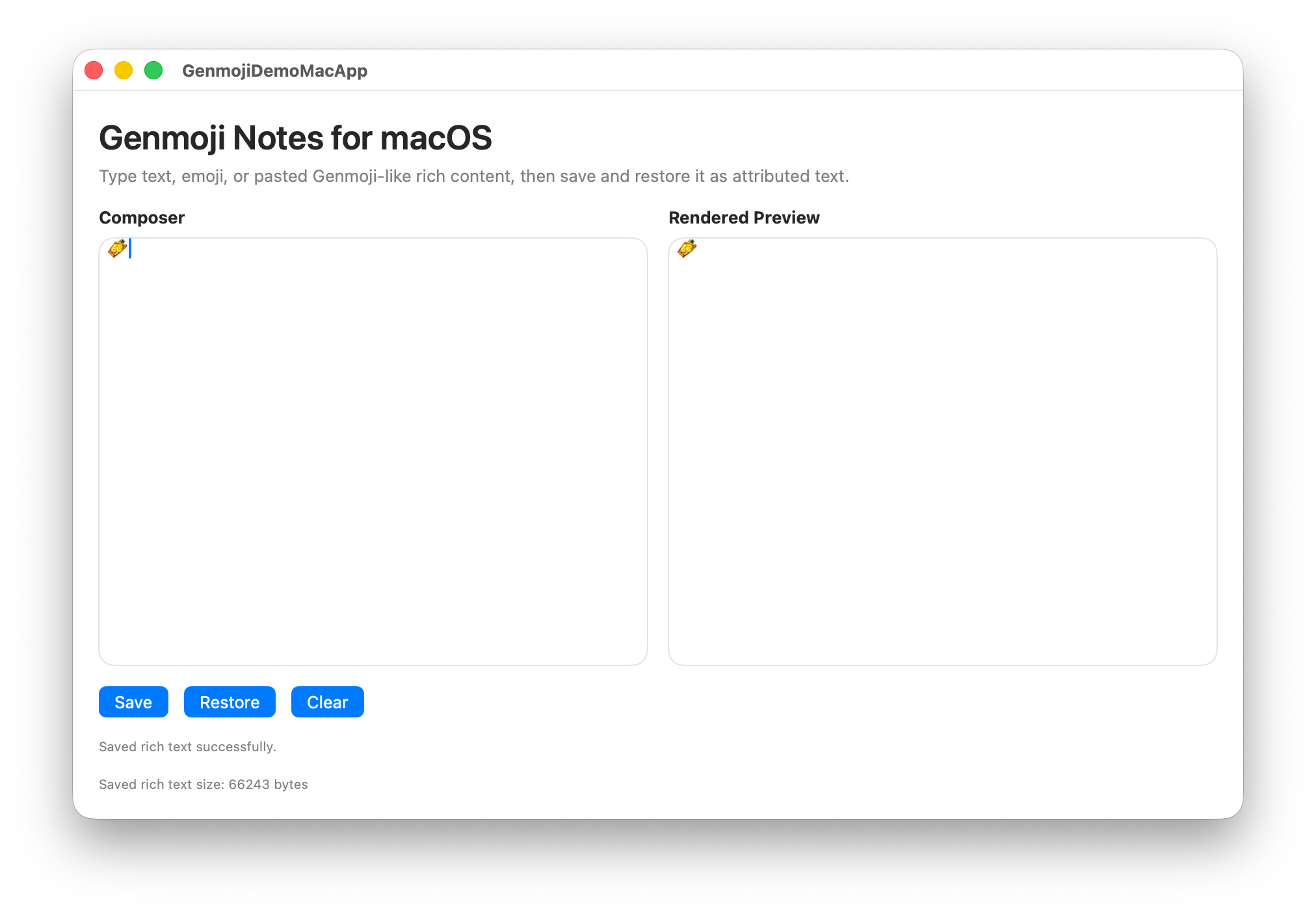
In this article, we’ll build a minimal macOS app that:
- Accepts rich text input
- Supports image-based glyph content
- Persists and restores content safely
Key Concept: Rich Text, Not String
If you treat input like this:
1
| let text: String = "Hello 😊"
|
It works for Unicode emoji.
But Genmoji-like content is different:
- Stored as image glyphs
- Embedded in
NSAttributedString
- Not representable as plain
String
So the rule is:
Always treat expressive input as rich text.
Architecture Overview
We’ll build a lightweight app with this structure:
1
2
3
4
5
6
| GenmojiNotesMac
├── ContentView
├── GenmojiMacTextEditor (NSTextView bridge)
├── GenmojiMacTextPreview
├── GenmojiMacViewModel
└── RichTextStore (serialization layer)
|
Step 1: Bridging NSTextView into SwiftUI
SwiftUI doesn’t provide a native rich text editor that supports advanced input.
We use NSViewRepresentable:
1
2
3
4
5
6
7
8
9
10
11
12
13
14
15
16
17
18
19
20
21
22
23
24
25
26
27
28
29
| struct GenmojiMacTextEditor: NSViewRepresentable {
@Binding var attributedText: NSAttributedString
func makeCoordinator() -> Coordinator {
Coordinator(attributedText: $attributedText)
}
func makeNSView(context: Context) -> NSScrollView {
let scrollView = NSScrollView()
let textView = NSTextView()
textView.isEditable = true
textView.isSelectable = true
textView.importsGraphics = true
textView.delegate = context.coordinator
context.coordinator.textView = textView
scrollView.documentView = textView
return scrollView
}
func updateNSView(_ nsView: NSScrollView, context: Context) {
guard let textView = nsView.documentView as? NSTextView else { return }
textView.textStorage?.setAttributedString(attributedText)
}
}
|
Why importsGraphics matters
On macOS, enabling:
1
| textView.importsGraphics = true
|
allows the text view to:
- Accept pasted images
- Handle rich graphical content
- Support expressive glyph-like input
Step 2: Persisting Rich Text with RTFD
To preserve rich content, we use RTFD.
1
2
3
4
5
6
| func serialize(text: NSAttributedString) throws -> Data {
try text.data(
from: NSRange(location: 0, length: text.length),
documentAttributes: [.documentType: .rtfd]
)
}
|
Why RTFD?
Because it:
- Stores embedded images
- Preserves attributes
- Is native to AppKit/UIKit
Step 3: Restoring Content
1
2
3
4
5
6
7
| func deserialize(data: Data) throws -> NSAttributedString {
try NSAttributedString(
data: data,
options: [.documentType: .rtfd],
documentAttributes: nil
)
}
|
Now your content survives:
- App reloads
- Copy/paste
- Disk persistence
Step 4: ViewModel Layer
Keep business logic separate from UI:
1
2
3
4
5
6
7
8
9
10
11
12
13
14
15
16
17
| @MainActor
final class GenmojiMacViewModel: ObservableObject {
@Published var inputText = NSAttributedString(string: "")
@Published var previewText = NSAttributedString(string: "")
private var savedData: Data?
func save() {
savedData = try? serialize(text: inputText)
}
func restore() {
if let data = savedData {
inputText = try? deserialize(data: data) ?? NSAttributedString()
}
}
}
|
Step 5: Preview UI
Display the rendered content:
1
2
3
4
5
6
7
8
9
10
11
12
13
14
15
16
17
| struct GenmojiMacTextPreview: NSViewRepresentable {
let attributedText: NSAttributedString
func makeNSView(context: Context) -> NSScrollView {
let scrollView = NSScrollView()
let textView = NSTextView()
textView.isEditable = false
textView.importsGraphics = true
textView.textStorage?.setAttributedString(attributedText)
scrollView.documentView = textView
return scrollView
}
func updateNSView(_ nsView: NSScrollView, context: Context) {}
}
|
Final Thoughts
Modern Apple platforms are moving toward:
Expression as a first-class input primitive
That means:
- Text is no longer just text
- UI must handle rich, adaptive content
- Persistence must preserve fidelity
If you’re building input-heavy apps, this is the direction to follow.